I had a newsletter on this blog for years, but I didn’t send a single email for a long time. This is the story of how I finally got it back up and running, and what I learned along the way.
A quick note up front, because this caused some confusion: by “hosting my own” I mean I don’t use a newsletter platform. The signup backend and the CLI I use to send issues are mine, and the issues themselves are just markdown files in a git repo. I still use Plunk as the sending backend (so SES, bounces, suppression lists, and unsubscribe pages aren’t my problem). Plunk is open source and I could self-host it, but the deliverability side has enough edge cases that I’m happy to pay someone else to run it. 🙃
The Tinyletter Years

Source: Wayback Machine
For years my setup was a small form on the website pointing at Tinyletter, a small newsletter service that was focused on writers. What I liked about it was the simplicity. I never had to think about email deliverability, bounce rates, suppression lists, SPF, DKIM, DMARC, or any of that. I wrote a thing, hit send, people got it.

It just worked. Then Tinyletter shut down.
A bit of history: Tinyletter was built in 2010 by Philip Kaplan, reportedly coded on a single Sunday, the 31st of October, 2010.
It got acquired by Mailchimp one year later, and quietly became the de facto home for writers who wanted a personal newsletter without thinking about funnels, segments, or A/B tests.
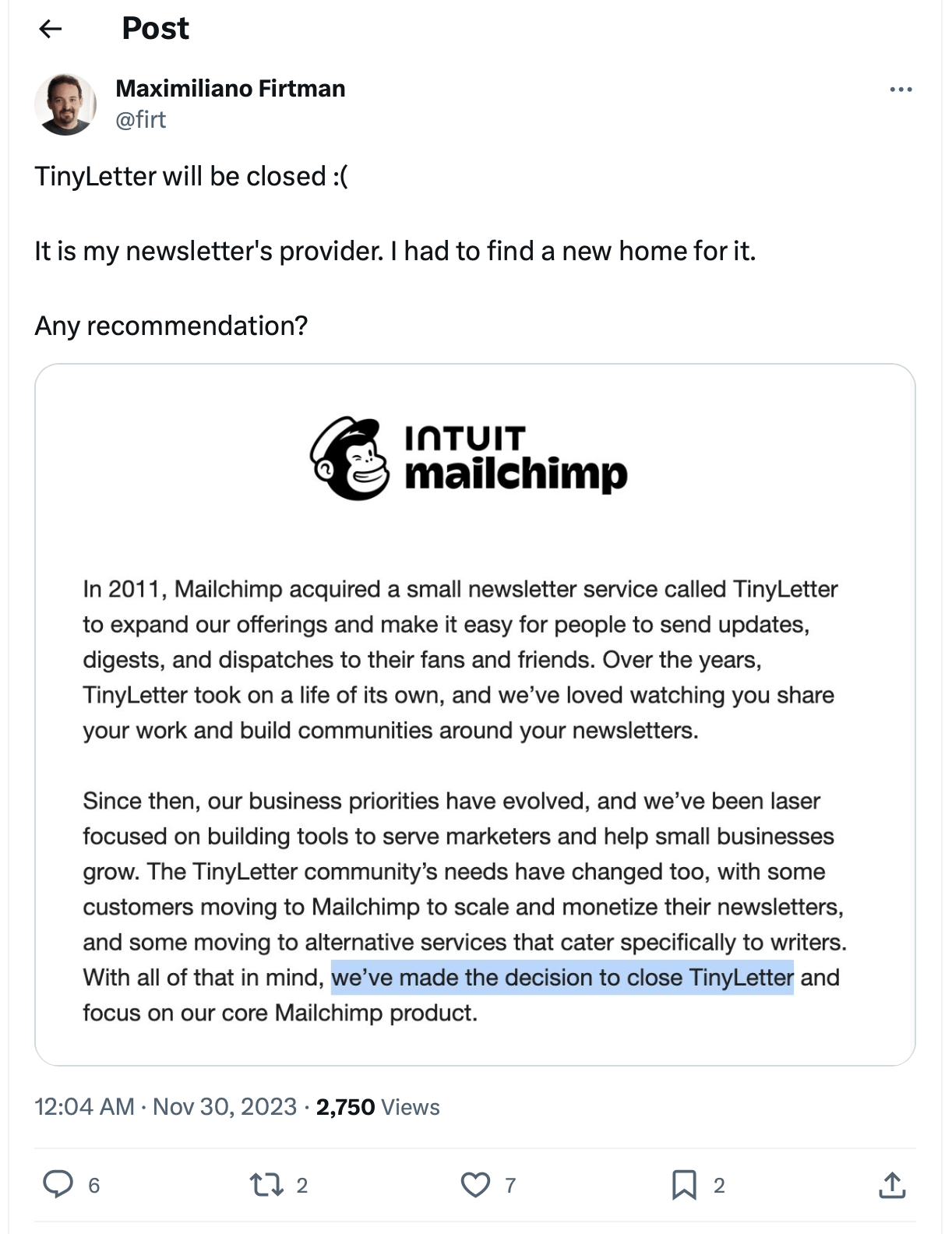
Then in late 2023, Mailchimp (now part of Intuit) announced they’d shut it down. The official wording was that their “business priorities have evolved” and that they were “laser focused on building tools to serve marketers and help small businesses grow.” Writers were never their core customers.
Source: EmailOctopus
Just before Tinyletter went dark on February 29, 2024, I made a final backup of my subscriber list, but I didn’t have a plan for what to do with it.
Denial
At this point, I became hostile to the idea of using a third-party service. The same story could repeat itself again.
I still looked at all options and bounced off all of them:
- Too expensive! Most services price per contact and assume you’re running a business funnel, not writing letters to people.
- Too marketing-focused! Templates, drag-and-drop builders, A/B tests, engagement scoring, tracking pixels. The whole vocabulary is wrong. I don’t want to run campaigns; I want to send email!
- Not hacker-friendly. No markdown, no CLI, no API I’d actually enjoy using. Everything happens in a web dashboard built for a marketing team.
- Not open source. If the next Tinyletter shuts down, I’d like to keep going without having to migrate again.
- Tracking by default! Open tracking, click tracking, pixels in every footer. I don’t want to know who opened what. I want to write, you read it (or don’t), the end.
Migrating to Fly.io
People kept asking me when the newsletter was coming back, so I cobbled something together on fly.io. It was a small Rust API, a CSV file with subscribers, and a way to subscribe through the website. The idea was to deal with the sending later, but at least offer a way to sign up for now.
Then the list just sat there.
Turns out, a cold list is a problem all by itself. When you finally do send to a list of people who haven’t heard from you in a long time, mail providers get suspicious and you can get flagged as spam. Suddenly your own newsletter can turn against you.
The Hunt for a Sending Service
This was the hardest part by far. I looked into Resend, Postmark, SendGrid, Mailgun, Amazon SES, and many more. All of them were either quite expensive for a small newsletter, had a terrible API, didn’t comply with GDPR regulations, or were way too complicated.
I was about to give up when I found Plunk. It is open source, the pricing scales with your list size, and the API doesn’t fight me. It does the deliverability work I don’t want to think about (SES integration, bounce handling, suppression list, hosted unsubscribe pages). I’m a paying customer now. I’m not affiliated, just a genuinely happy user.
I even sent them a small contribution and they merged it in ten minutes. This made me feel like I was actually part of a community.
The first real newsletter issue went out to a thousand-plus contacts that hadn’t heard from me in ages. I was bracing for a wave of bounces, but it went fine. Bounce rate around 1%, only very few unsubscribes, and no deliverability issues. Wow!
I didn’t do anything fancy: no batching, no slow warmup, no clever subject line. I sent it all at once and let Plunk (well, SES underneath) auto-prune obviously dead addresses via bounce handling. The one thing I did do was lead the first issue with a short, frank reintroduction – something like “hey, you signed up because you read a blog post of mine once, sorry for the silence” – which I think did most of the work in keeping unsubscribes low.
Cost-wise, one send to the full list costs me roughly $1. For a newsletter I send irregularly, that’s nothing.

Source: Plunk
This Feels like Home!
I realized I could write issues as plain markdown files in a folder, version-controlled, with a small CLI for everything else. That’s where I feel at home. Just me, a cup of hot chocolate, my editor, the terminal, and git. No more web dashboard between me and the writing.
The whole thing lives in a single repo:
newsletter/
├── issues/         # one .md per edition (1.md, 2.md, ...)
├── send/           # the CLI I run locally
└── subscribe/      # tiny HTTP service behind the website signup form
The CLI is called send. Here’s what it can do:
$ send help

Usage: send <COMMAND>

Commands:
  new      Create a new issue file and open $EDITOR
  list     List local issues
  lint     Check links in an issue (or all issues)
  test     Send a test email to myself
  publish  Publish the issue to all subscribed contacts
  status   Show contact-list and deliverability report
  prune    Delete unsubscribed contacts
send publish 2 shows me a preview, the recipient count, and a y/N prompt before it actually fires anything off.
The subject line gets built automatically as corrode v0.N.0 # <topic> – semver-styled, with the major version stuck at 0 forever as a small joke about projects that never quite reach 1.0.
send status shows me per-campaign deliverability with bounce-rate cells colour-coded against the SES thresholds, plus daily bounces and unsubscribes, so I can spot trouble early.
send lint runs every link in an issue through lychee before I hit publish.
I am a lychee maintainer, so dogfooding it here was an obvious choice and a nice quality-of-life improvement over the old Tinyletter web editor, which had no link checking at all.
The signup form on the website POSTs to the tiny subscribe service, which runs on my server.
It validates the email, drops anything with the honeypot field filled in, and POSTs to Plunk with a subscribe-requested event.
Plunk creates the contact in the unsubscribed state and fires off the transactional confirmation email through its Action workflow.
Only when the recipient clicks the link does Plunk flip them to subscribed[1].
No webhook back to my side, no callback, no JavaScript on the page.
I just push to git, my server detects the change, builds and runs the server crate, and the new version is live.
The running service takes absolutely no CPU or memory.
A Little DNS, Briefly
Plunk needs three things in DNS to send on my behalf: an SPF record (saying SES is allowed to send for the domain), a DKIM key (so SES can sign outgoing mail), and a return-path MX record (so bounces come back somewhere Plunk can read them). All three live under a subdomain. Don’t worry, Plunk tells you exactly how to set this up and you can copy-paste the records into your DNS provider’s dashboard.
The one thing worth not forgetting: do not add Plunk’s optional inbound MX at the apex of your domain. That would steal mail away from whoever currently handles your inbox (mailbox.org in my case), and replies stop landing where you expect.
A Minor Hiccup
I forgot that the From: address actually needs to be a real mailbox if you want replies to work.
The first issue went out as newsletter@corrode.dev, which didn’t exist as a mailbox.
A kind reader (hey Kevin!) replied to say hi, his message bounced, and he forwarded the bounce notice back to me to let me know.
I created the alias on mailbox.org, and replies have landed in my inbox ever since.
One List, Not Two
While I was at it, I also collapsed my older endler.dev newsletter and the corrode.dev one into a single list. Both were always written by me, and running two parallel setups never really made sense. Same person on the keyboard, mostly overlapping audience, twice the maintenance.
The merge itself was uneventful: I had a CSV exported from Tinyletter (the original endler.dev list) and another from my fly.io service (the corrode.dev list I’d started collecting when corrode.dev launched). Same format. Both went into Plunk and deduplication was a non-issue. In the first issue I made the framing explicit (one newsletter for all my writing) so nobody had to guess what they were now signed up for. [2]
Going forward, there’s just one newsletter. If any of this isn’t for you, you can always unsubscribe and never hear from me again. No hard feelings.
What I’d Tell You
If you’ve been thinking about doing this yourself: do it. Self-hosting is genuinely easier than it used to be. There are great open source services for almost every piece now. In general, building small things yourself is one of the best ways to actually understand them and to keep owning the parts that matter. That would be its own blog post, so let me know if you want me to write it.
If you’d like a peek at the (somewhat hacky) repo, send me a mail and I’ll send you a link. It’s really not that interesting, but if you’re curious about how it works, I’m happy to share. Or wait until I clean it up a bit and open source it properly, which will just take me another few years to get around to it.
And the best part is that you can now test my setup by filling out the form below and subscribing to the newsletter!